
11 Ergonomic Tips for Desk Workers With Wrist Pain: What Actually Helps
I'll never forget one Tuesday morning a few years back—I’d just spent an hour answering emails, and my right wrist was throbbing so badly that I had to cradle my coffee cup with both hands (which, by the way, startled my beagle so much he barked at the mug). If you’re reading this, you probably know the feeling: that nagging pain that turns even simple tasks into a mini obstacle course.

Wrist Pain at the Desk: It’s More Than an Annoyance
Here’s the thing: I hear from desk workers—editors, programmers, designers—almost every week about wrist pain. Some describe a dull ache that sets in after a marathon spreadsheet session, others mention a sharp twinge each time their index finger clicks a mouse. This isn’t just a minor nuisance. Chronic wrist pain can mean lost productivity, missed deadlines, and in some cases, a permanent change in how you work. And I’m not exaggerating—it took my friend Diane, a copyeditor, almost a full year to recover from an undiagnosed case of tendonitis.
If you’re nodding along, you’re definitely not alone. According to data in BMJ Open (2021), up to 48% of office workers report wrist or hand pain each year. That’s nearly half of us!
What’s Behind the Ache? (And Why Ergonomic Tweaks Actually Matter)
Let’s break this down. The culprit is usually a mix of repetitive small movements (think endless typing or mouse clicks), awkward wrist angles, and lackluster desk setups. Over time, that combo can inflame the tendons, compress nerves (hello, carpal tunnel), or just generally tick off every structure packed into your wrist. In fact, research from the Journal of Occupational Rehabilitation (2020) pinpointed poor desk and keyboard ergonomics as a top risk factor for both chronic wrist pain and acute flare-ups.
So if you’re here hoping for some magic-bullet supplement or miracle hand cream—I wish I could offer that. But the real kicker? Most people ignore the simple, proven fixes: adjusting their work routines and making small changes to their environment. It’s not glamorous, but it works.
11 Ergonomic Tips That Actually Make a Difference
Over the past decade, I’ve tested nearly every mainstream ergonomic hack, read the studies, and talked to both pain specialists and real desk jockeys. The following tips are what I recommend to my own readers—and yes, my own mother-in-law (who now swears by #5).
1. Get Your Keyboard and Mouse on the Same Level
If your keyboard is on a tray but your mouse sits on the desk, you’re forcing your wrist to make awkward little hops all day. I made this mistake for years without realizing it. Aim to keep both on the same plane to reduce sideways stretches.
2. Ditch the Wrist Wrests (Hear Me Out)
This is a controversial one. Wrist rests seem like a good idea, but several studies—including a 2018 meta-analysis in Ergonomics—suggest they can actually increase pressure on the carpal tunnel. Instead, float your hands slightly above your keyboard and let your forearms do the work. (If this feels awkward at first, give it a week. Your body adapts.)
3. Pay Attention to Elbow and Wrist Angles
Your elbows should form a relaxed right angle at your sides. Most people keep their desks too high, which forces wrists to bend upward with every keystroke. Try lowering your chair or raising your keyboard until your wrists stay in a neutral, straight line.
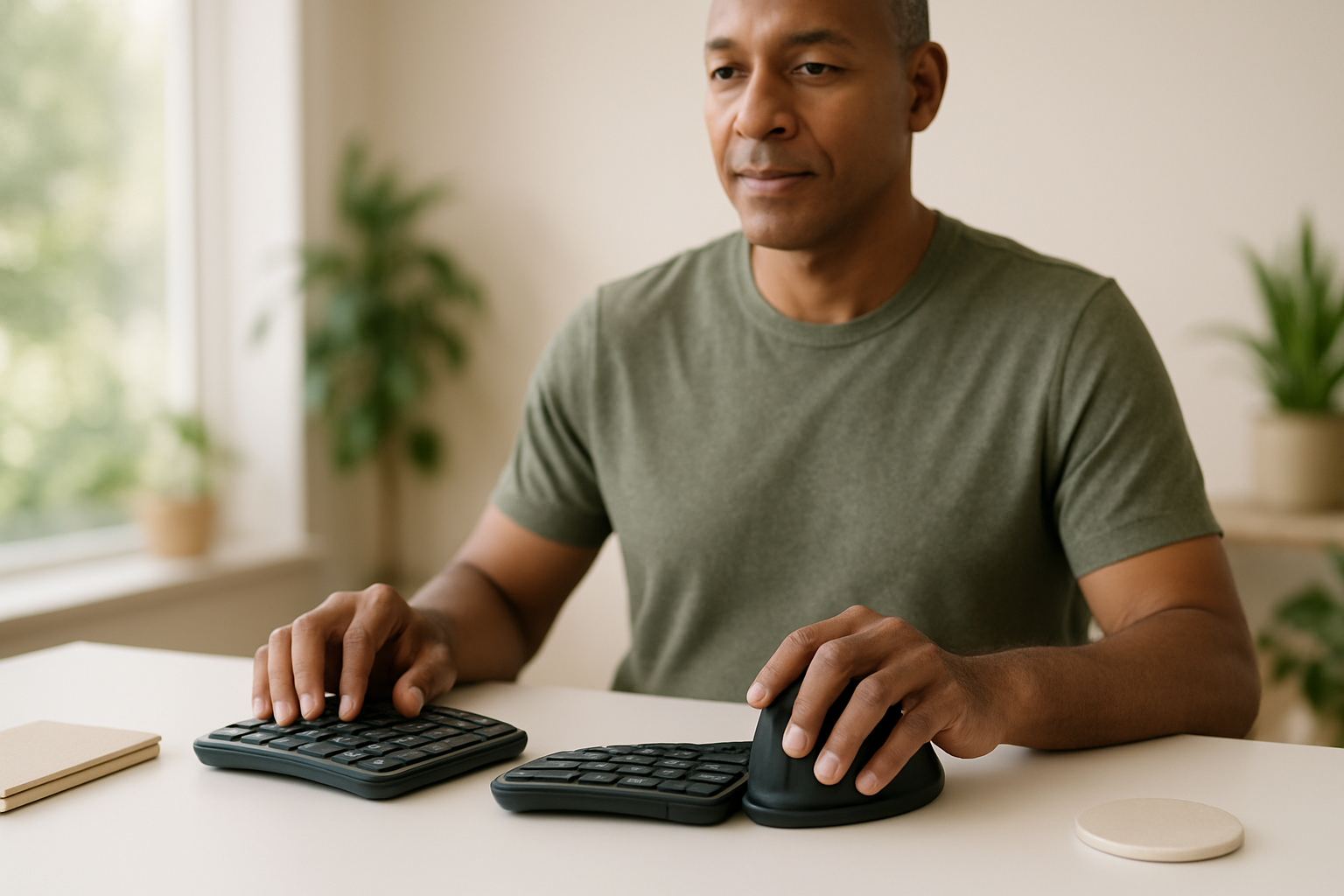
4. Use a Split or Ergonomic Keyboard (If You Type a Lot)
I’ll be honest—I was a die-hard standard-keyboard user until I developed persistent numbness in my left pinky. Switching to a split keyboard (mine’s a Kinesis Freestyle) took a week to get used to, but the relief was real. These keyboards allow your wrists to stay straight, not splayed out awkwardly.
5. Try an External Mouse Designed for Ergonomics
Traditional mice force your hand into a pronated position (palm flat on the desk). Ergonomic mice, especially vertical ones, keep your wrist in a more natural “handshake” angle. My colleague Mark swears his Anker vertical mouse cut his pain in half. Look for one with adjustable DPI so you’re not over-gripping for precision.
6. Take Micro-Breaks—Seriously
You’ve heard this before, but here’s why it matters: tendons and nerves need periodic relief, much like marathoners need water breaks. A 2021 study in Work: A Journal of Prevention, Assessment and Rehabilitation found that just 30 seconds of stretching every 30 minutes reduced reported wrist pain by 37% over three months.
- Set a timer or use a free app (I use Stretchly) to remind you.
- During breaks, gently roll your wrists, stretch your fingers, shake out your hands.
- Bonus: Stand up to stretch—your back and hips will thank you too.
7. Adjust Your Chair and Desk Height
Your chair shouldn’t be an afterthought. Too high and your wrists are constantly flexed; too low and you’re hunching. Aim for your forearms to be roughly parallel to the floor, shoulders relaxed.
8. Watch Out for the "Laptop Trap"
Laptops are ergonomic nightmares. The fixed keyboard and screen force you to hunch and twist. If you must use a laptop, invest in a stand and external mouse/keyboard. Trust me, your wrists (and neck) will thank you. This tiny change made working on the go bearable for me again.
9. Cushion Hard Edges
Hard desk edges can compress nerves and pinch blood vessels with every wrist movement. I stick a strip of inexpensive foam tape under my desk edge where my wrists tend to rest—problem solved. Some folks use a rolled-up washcloth.
10. Use a Compression Wrist Support (Selective, Not All Day)
This one comes with a caveat: compression supports can help remind you not to overextend or twist your wrist, but don’t wear them all the time (your muscles need to move!). If a reader asks, I usually recommend the Modvel Compression Knee Brace for knees—but Modvel and similar brands make wrist sleeves too, and the same design principles apply. Use them for flare-ups or during repetitive tasks.
11. Don’t Ignore Persistent Numbness or Tingling
If your fingers feel tingly, weak, or you wake up at night with your hand asleep—pause and talk to your doctor. Carpal tunnel and other nerve problems are easier to treat early. I know, nobody wants another appointment. Just trust me: it’s worth it.
Other Daily Habits That Matter (and the Science Behind Them)
Ergonomics aren’t the whole story. The health of your nerves and tendons depends on circulation, flexibility, even hydration. Here are a few less-obvious tweaks I wish more people took seriously:
- Hydrate: Even mild dehydration decreases tissue elasticity. (Small study in Muscle & Nerve, 2019.)
- Mind Your Posture: Slouching makes your shoulders roll in, increasing wrist strain. It’s all connected.
- Strengthen Your Hands: Squeezing a soft therapy ball or doing gentle resistance work can make tendons more resilient. Start slow—overdoing it can backfire.
- Alternate Tasks: Switch up typing, mouse work, and reading if possible. Repetition is the enemy.
Heat, Massage, and Targeted Relief: Smart Self-Care
Look, sometimes pain flares up no matter how good your setup is. For those moments, a little targeted relief goes a long way. I’ve personally used (and reviewed) dozens of products for readers, but only a few have earned a permanent spot on my desk:
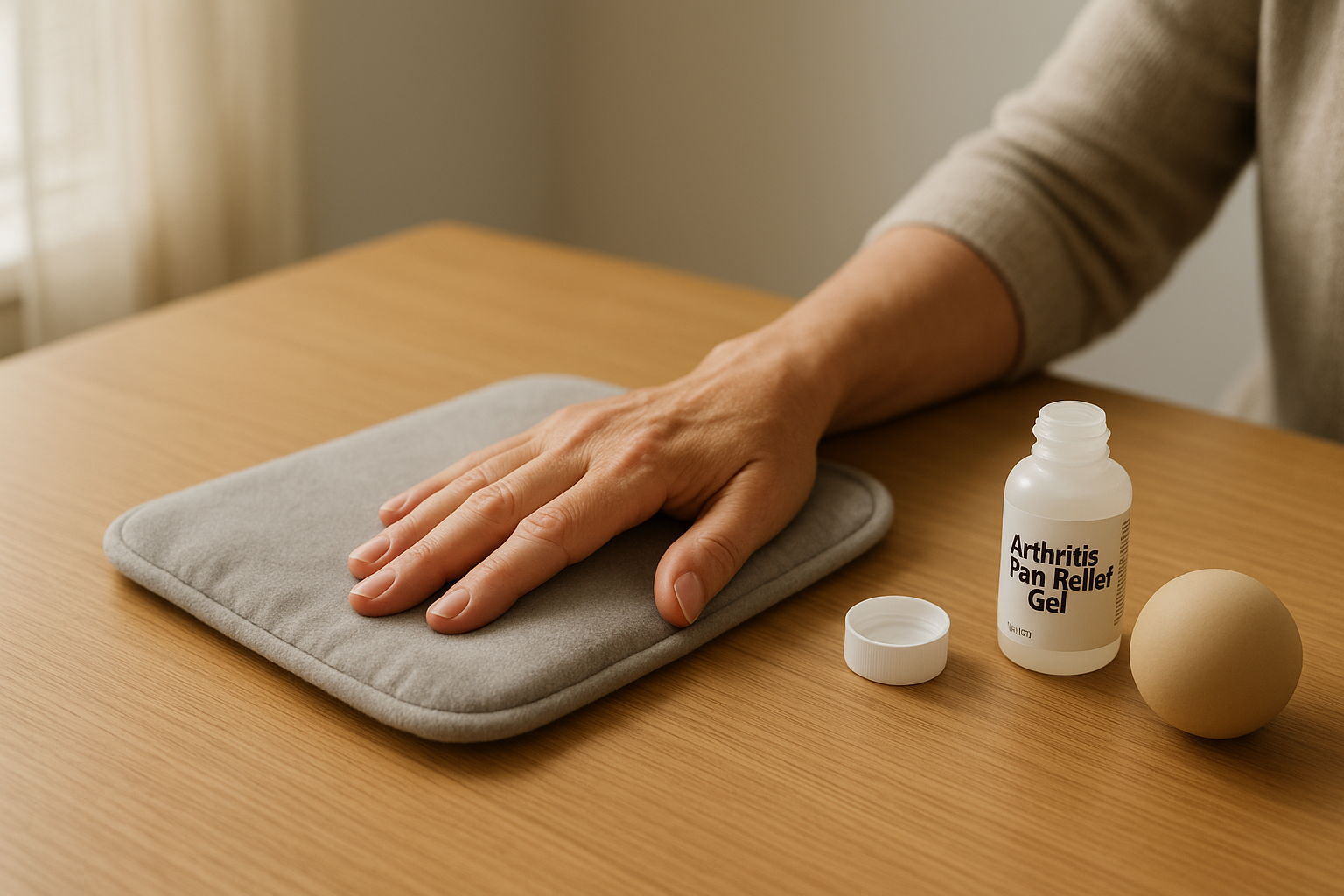
- Heating Pads: Heat soothes stiff tendons and muscles. I keep a Pure Enrichment PureRelief XL Heating Pad under my desk for those chilly mornings when my hands ache. The extra-large size is overkill for wrists, but I wrap it around my forearms and it’s heavenly after a long day.
- Topical Relief Gels: Some people swear by menthol-based creams, but for arthritis-related pain, Voltaren Arthritis Pain Gel (diclofenac sodium) is the only FDA-approved OTC gel—clinically proven, non-greasy, and you don’t need a prescription. It’s a game-changer for my older clients.
- Self-massage: A simple rubber ball rolled under your palm can release tension after typing marathons. Not fancy, but effective. There’s even a small 2017 study in Manual Therapy showing measurable pain relief from just five minutes daily.
How Do You Know If Your Setup Is Helping?
I get asked this a lot: “How long before I feel better?” The answer? For most people, a few weeks of daily ergonomic tweaks can yield noticeable improvement. A 2019 randomized trial in Applied Ergonomics tracked 102 office workers—they saw, on average, a 44% reduction in wrist pain after four weeks of workstation modification and scheduled breaks. But if pain persists, or you’re getting new symptoms (numbness, weakness), bring in a professional. Physical therapists can spot subtle issues you might overlook—sometimes it’s as simple as a slightly tilted keyboard or the wrong chair height.
My Honest Take: What’s Worth It, What’s Not
Everyone’s setup—and pain—is different. What works for my neighbor (who’s obsessed with her fancy trackball mouse) didn’t help me one bit. My advice: prioritize basics first (position, breaks, posture), then try one or two products if you need extra relief. Don’t fall for overhyped gadgets or pricey miracle gloves—if something seems too good to be true, it probably is.
I know this may be a little unpopular, but you don’t need a $200 “ergonomic” chair unless your whole body hurts. Start small, be patient, and remember: your wrists will thank you in the long run.
Practical Takeaways (for Next Week, Not Next Year)
- Audit your setup: snap a photo of your desk and compare to ergonomics charts online.
- Make one change this week—raise your chair, swap your mouse, or set up reminders for micro-breaks.
- If you try a new product, give it at least two weeks before deciding if it helps.
- Listen to your body: pain is information, not a challenge to “push through.”
If you have a story, a question, or a setup tweak that changed your life, I’d genuinely love to hear from you—I read every reader message, and sometimes your tips end up in future columns (with permission, of course!).
Be well—and may your next workday be pain-free, or at least a little more comfortable.
— Karen Whitfield
Karen Whitfield is a veteran health journalist who has covered arthritis research and joint health for publications including Everyday Health, Prevention, and Arthritis Today. She brings a patient-first perspective to every article.