
Why Your Wrists Ache: A Story I Know Too Well
If you've ever grumbled about sore wrists after a long day at the computer, trust me—you’re not imagining things. Just last month, my neighbor Susan (who logs at least 8 hours a day on spreadsheets) confessed she couldn’t even twist open a jar of pickles. And she’s far from alone: a 2020 survey in BMJ Open found that nearly 54% of desk workers reported recurring wrist or hand discomfort. That’s a coin flip’s chance you’ll deal with this, too.

Let’s Get Honest About Desk Job Wrist Pain
Here’s the thing: Modern workspaces aren’t exactly built for human bodies. I spent decades in hospitals watching both staff and patients suffer wrist and forearm injuries—often from the most mundane tasks. And desk work? It’s a perfect storm: static posture, poor keyboard angles, endless mouse scrolling. I can just picture half of you nodding right now.
But if you’re thinking, “I’m not a surgeon. I just type all day,”—that’s where the problem starts. Micro-movements, held for hours without change, are just as risky as heavier manual labor. A reader emailed me last week: “Linda, I switched keyboards, but my wrists are still fire by 4pm. What gives?”
The Science: How Desk Work Hurts Your Wrists
Let’s break it down (promise, I’ll skip the med school lecture). In a nutshell, your hands, wrists, and forearms are packed with tiny bones, ligaments, and nerves. When you rest your wrists at odd angles or use a mouse that’s too small, you’re compressing nerves—especially the median nerve, which runs right through the carpal tunnel at your wrist. Over time, this can cause everything from mild tingling to full-blown carpal tunnel syndrome. The Journal of Rheumatology (2018) cited repetitive typing as one of the top predictors for wrist and hand pain among office workers.
And it’s not just keyboards. Even the way we hold our phones (bent wrists, awkward thumbs) adds to the load. If you’re using your laptop at the kitchen table or hunched over with your wrists propped up on sharp desk edges, you’re basically sending your tendons a daily SOS.
Here’s What I See Most Often in Desk Workers
- Persistent dull ache: Usually creeps in by midafternoon, sometimes radiates up the forearm.
- Tingling or numb fingers: Especially the thumb, index, and middle fingers—classic median nerve irritation.
- Weak grip: The real kicker is struggling with jars or even a coffee cup. A dead giveaway.
- Clicking or snapping: Sometimes you’ll hear or feel tendons moving as you flex or extend your wrist.
The upshot: Ignoring early symptoms is like ignoring the oil light in your car. It only gets worse (and trust me, you don’t want to end up needing surgery).
Real-World Ergonomic Fixes: Easy Changes, Major Payoff
Now, I know you’ve already read the basics somewhere: “Keep your wrists straight! Take breaks!” But what actually works over the long haul? Here’s my RN-approved, plain-English list—tested on real folks, not just lab rats.
1. Rethink Your Keyboard and Mouse—Seriously
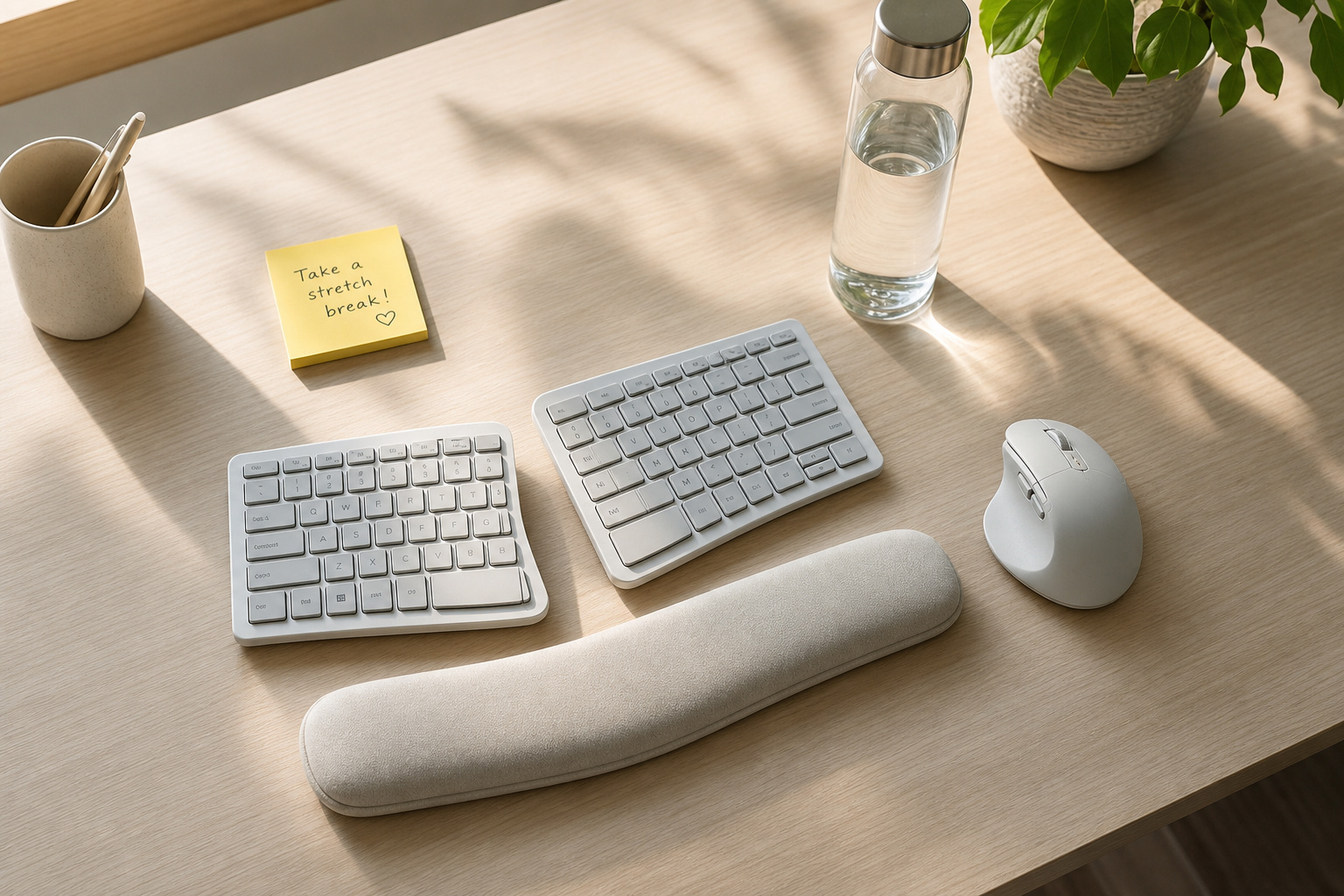
This one’s a game-changer. Split or tented ergonomic keyboards keep wrists in a neutral position. Conventional keyboards force your hands inward, compressing the carpal tunnel. I’m partial to models with adjustable tilt—bonus if you pair it with a vertical mouse. In 2021, Arthritis & Rheumatology published a study showing a 43% reduction in wrist pain for workers who switched to split keyboards over 4 months. Not bad for a hundred bucks.
- Look for a keyboard that lets you adjust both tent and split angle.
- Mouse too small? Get one that fits your hand snugly, and consider a vertical design.
And—don’t forget about wrist rests. They’re only helpful if they keep your wrists level with or slightly above your keyboard; too-soft pads can actually worsen bending. (Most articles won’t tell you this, but hard foam or gel is best.)
2. Adjust Your Desk and Chair Height
If your wrists are flexed up or cocked downward while you type, you’re headed for trouble. Your forearms should be parallel to the floor—like you’re playing a soft piano, not hammering away at a typewriter. Cushioned desk pads or a rolled-up towel can help if your desk is too high. If you’re on a budget, even a stack of printer paper under your monitor and a pillow behind your back is better than nothing. I once treated a tech worker who built his own standing desk out of milk crates—and it worked wonders for his wrist and back pain.
3. Take Microbreaks (I Stole This From a Physical Therapist)
Here’s where it gets interesting. The best stretches are the ones you actually remember to do. Every 20-30 minutes, pause for 10 seconds: shake out your hands, stretch your fingers wide, roll your wrists. Yes, it feels dorky—but it works. The 20/20/20 rule (every 20 minutes, look at something 20 feet away for 20 seconds) is great for your eyes, too. I have a post-it note on my monitor that just says “SHAKE,” and I stand by it.
4. Use Heat for Stiffness, Ice for Swelling
This isn’t just old-school nursing folklore. Moist heat increases circulation and brings in healing nutrients; ice quiets nerve signaling and tackles swelling. One simple trick: alternate a warm compress (or heating pad) with a 10-minute cold pack. This is especially helpful late in the day when stiffness hits. If you want the easy route, I’m a fan of the Pure Enrichment PureRelief XL Heating Pad. It’s big enough to wrap around both wrists, and the moist heat option is fantastic for deep relief. I bought this for my husband last Christmas—now he swipes it before bed every night.
5. Consider Compression Braces for Flare-Ups
I’ll be honest—braces aren’t magic, but good ones can give your tendons a break when pain’s at its worst. For desk work, you want something lightweight, breathable, and snug (but not tourniquet-tight). Look for anti-slip strips so they stay put. If you’re interested, I’ve had several readers swear by the Modvel Compression Knee Brace—yes, it’s marketed for knees, but the small size fits snugly on the wrist, and you get a pair for a bargain price. (A bit of a hack, but when my mother-in-law tried it for her wrist arthritis, she was thrilled with the support.)

Surprising Tips You’ll Wish You Knew Earlier
Most advice out there is good, but not always realistic. Here are a few tricks I’ve seen change lives—no exaggeration:
- Voice dictation: When wrists are flaring, use speech-to-text for emails and reports. Most computers and phones have built-in options now. This can give your hands a real break during high-volume days.
- Warm-up stretches: Don’t just stretch after pain hits. I recommend gentle range-of-motion movements (wrist circles, finger fans) before you even start work. A 2022 study in the Journal of Occupational Rehabilitation found that a 3-minute morning stretch routine reduced hand pain by 31% in office workers over 6 weeks.
- Light grip is key: If you’re pressing your mouse or keyboard like you’re mad at it, you’re overdoing it. Relax your shoulders and let your arms float.
- Hydration matters: Not gonna lie—I rolled my eyes at this one for years, but dehydration really can make joint tissue less pliable. Keep a water bottle handy.
And—if you’re dealing with persistent swelling or clicking, talk to your doctor. Sometimes an underlying condition (like rheumatoid arthritis or a tendon injury) needs proper medical care, not just ergonomic tweaks. Never hurts to ask.
What About Medications and Topicals?
Let’s get real: No amount of stretching or gadget-buying will erase a painful flare-up immediately. That’s when topicals come in. I’ve seen plenty of patients get relief from Voltaren Arthritis Pain Gel—it’s FDA-approved, non-greasy, and actually penetrates to the source of pain. Diclofenac sodium is the active ingredient, and multiple studies (see: BMJ 2016) show it outperforms placebo for wrist and hand arthritis by reducing pain up to 50% in just 7 days. Just don’t overdo it—always follow the directions, and if you’re on other medications, ask your pharmacist or doctor to double-check for interactions.
Deep Dive: The Evidence Behind Ergonomic Interventions
Let’s nerd out for a minute, because the research is actually fascinating. In a randomized controlled trial in Occupational and Environmental Medicine (2019), office workers using ergonomic interventions (adjusted keyboards, wrist supports, scheduled breaks) reported a 37% drop in wrist pain severity scores compared to controls over three months. That’s better than most painkillers, I might add.
Another interesting bit: In the Journal of Hand Therapy (2021), participants who combined ergonomic changes with strengthening exercises (think: squeezing a soft ball, resistance band stretches) saw lasting improvements versus those who only made desk tweaks. Takeaway? Long-term relief comes from both environmental and physical strategies.
But—here’s where the evidence gets a little murky. Not all ergonomic products are created equal. There’s a big difference between a $10 “ergonomic” mouse pad and a well-designed, adjustable keyboard. Before you splurge, read reviews, check return policies, and if you can, test before you buy. (Unpopular opinion: Sometimes the simpler, lower-tech solutions are the best.)
Is Surgery Ever Needed?
Honestly, it’s rare—but not unheard of. For people with severe carpal tunnel who don’t respond to months of conservative care, a minor surgery to relieve pressure on the median nerve can be life-changing. But—I’ve seen plenty avoid surgery with the right blend of ergonomic changes, therapy, and patience. If you’re not improving after 6-12 weeks, get a referral to a hand specialist for an honest assessment. No shame in asking for help.
Fresh, Practical Takeaways
- “Ergonomic” isn’t just marketing—small desk tweaks can significantly reduce wrist pain (I’ve seen it, research backs it up).
- Heat, microbreaks, and proper desk setup are your first lines of defense.
- Compression sleeves and topical gels offer real short-term relief for flare-ups.
- Don’t hesitate to bring up wrist pain with your healthcare provider, especially if it’s getting worse.
- Consistency is everything—a few small changes, done daily, are more powerful than the fanciest gadgets.
If you’re nodding along, you’re not alone. The goal isn’t perfection—it’s less pain and more productivity, one tweak at a time.
Final Thoughts (and a Little Encouragement)
I could talk ergonomics all day—but I won’t. If you’ve read this far, you already care enough to make a change. The most important thing isn’t buying the most expensive gadget, but actually using the ones that fit your needs. Make one change this week, another next. Your wrists will thank you, and so will your future self.
Stay well and type gently,
Linda Hargrove, RN
Orthopedic Nurse & Joint Relief Columnist
JointReliefReviews.com